- Step 1
Create the sites
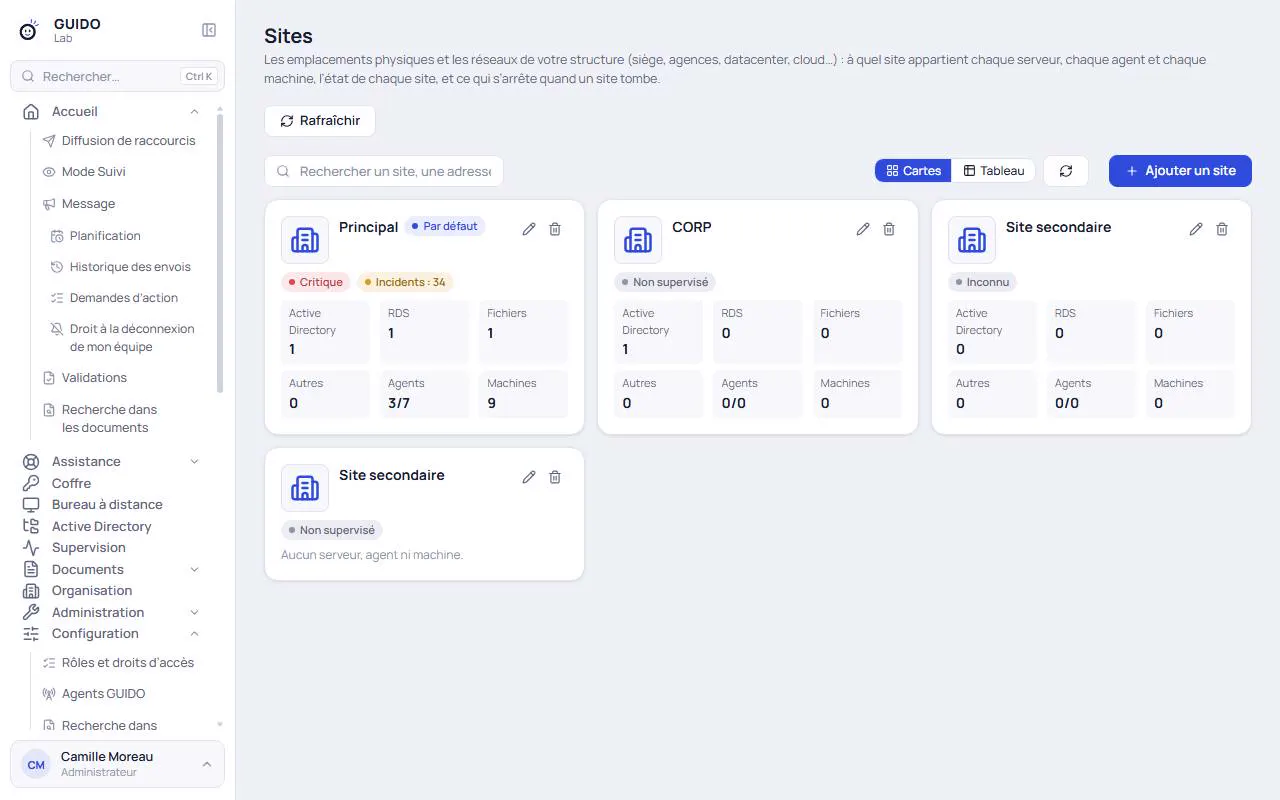
A site has a name, a short code, an address, network ranges (one per line), a contact and an icon or an imported logo (PNG, JPEG or WebP, 256 KB at most). A default site exists.
Screen Settings, Sites
- Step 2
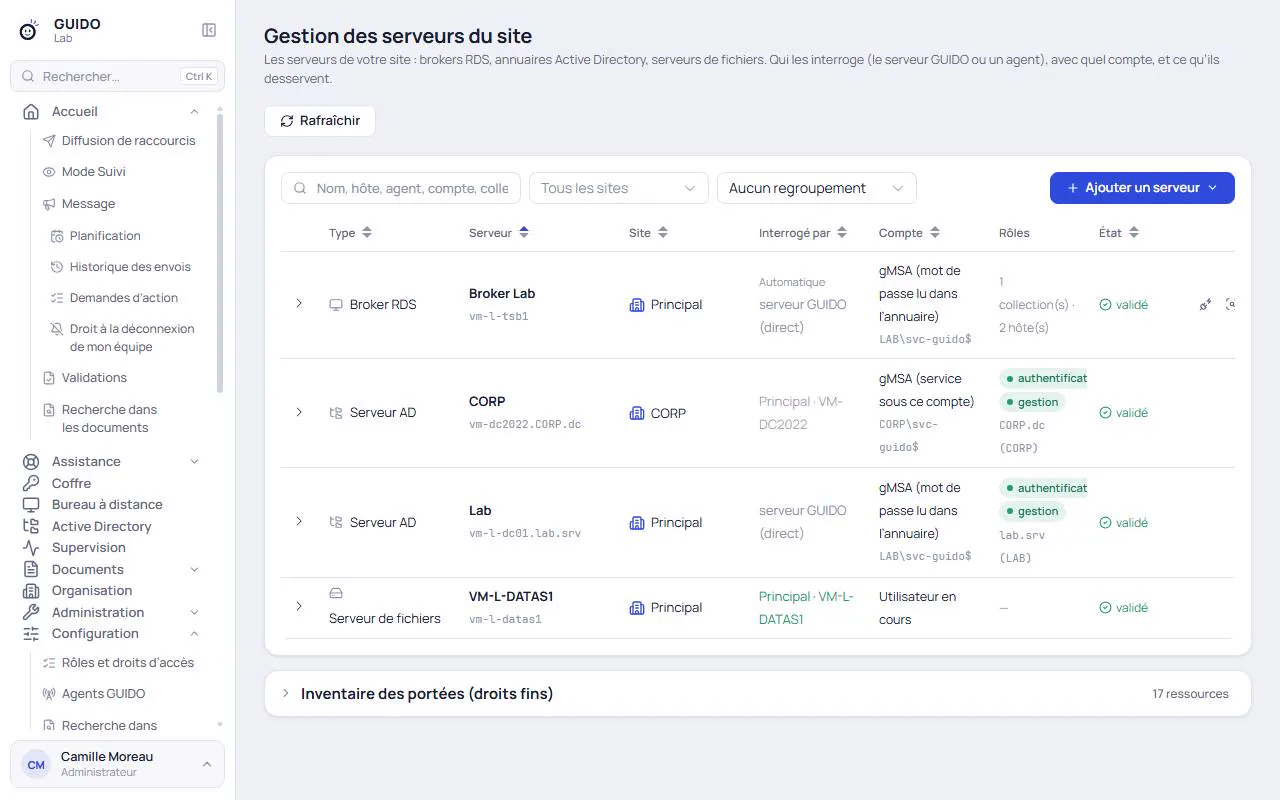
Attach servers and agents
A server’s Site field is prefilled: the chosen agent’s site, otherwise the site whose range contains the server’s address, otherwise the default site. An enrollment token and a group installer also carry their site.
Screen Settings, Site server management
- Step 3
Read the global view
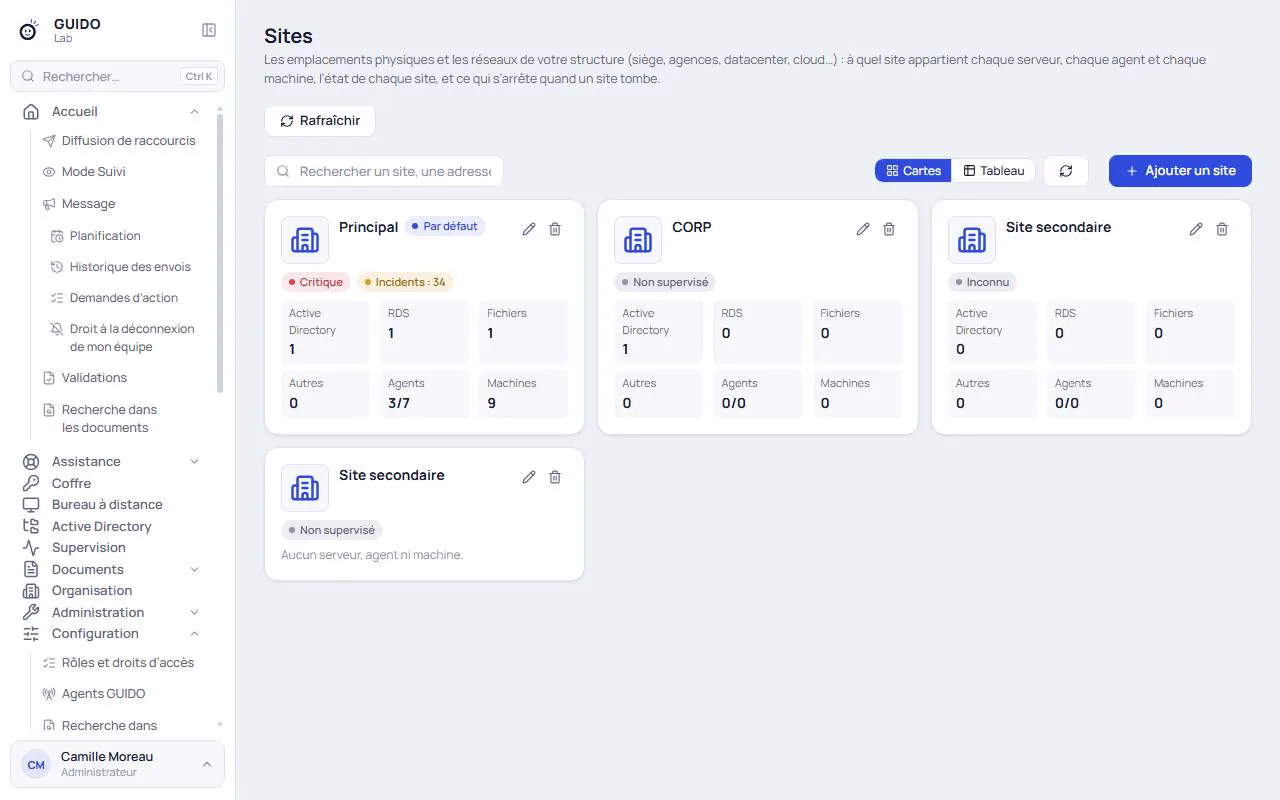
Each site shows as a card: servers by type, connected agents out of the total, machines, aggregated monitoring state, open incidents and tickets, “site unreachable” flag. Filters and grouping by site are remembered per user.
Screen Settings, Sites
- Step 4
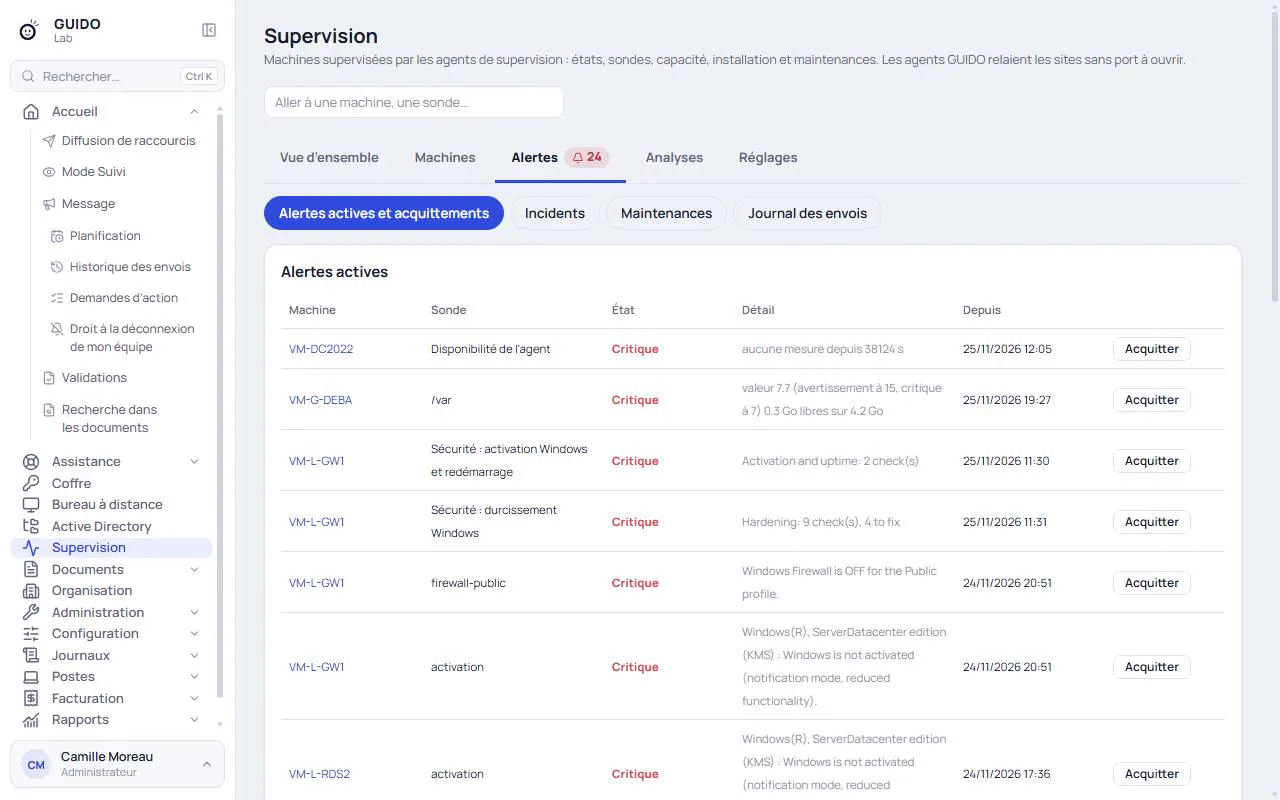
A single alert when a site fails
A site is unreachable when all its agents, at least one already seen, are silent. Monitoring opens a single site alert and attaches its machines’ alerts to that cause. A scheduled site maintenance sets the outage aside during the window.
Screen Monitoring, Alerts, Incidents, and Maintenances
- Step 5
Declare the outage on the help desk side
The outage is declared by hand, or GUIDO suggests it with a banner when monitoring detects the unreachable site. The declaration opens a “Site outage” problem record, attaches the affected open tickets to it and marks the site as unavailable.
Screen Help desk, site outage banner